
Key Takeaways
Chili Piper integrates with major Customer Relationship Management (CRM) systems, calendars, sales engagement tools, enrichment platforms, forms, and other parts of the sales stack
Salesforce and HubSpot are the most important CRM connections, supporting workflows like qualification, routing, ownership updates, and meeting activity
Chili Piper supports different connection methods, including direct integrations, embedded forms and booking experiences, middleware, Application Programming Interfaces (APIs), webhooks, and Model Context Protocol (MCP)
Before choosing an integration, check the supported actions, data sync, plan requirements, setup, and ongoing maintenance
If your workflow also requires multi-channel buyer engagement, Spara may be worth comparing
Seeing your tool listed on an integrations page doesn’t tell you how well it will support your workflow.
Chili Piper supported integrations cover a broad sales stack, including Salesforce, HubSpot, Google Calendar, Outlook, Outreach, Salesloft, ZoomInfo, and many other tools.
In this guide, we’ll show you which tools Chili Piper connects with and how its main integrations work. We’ll also cover the different connection methods and what to check before adding them to your sales process.
Which tools does Chili Piper integrate with?
The table below shows the integrations Chili Piper currently lists, organized by category:
Category | Integrations |
CRM and marketing automation | Salesforce, HubSpot, Marketo, Pardot, Eloqua, Act-On, SharpSpring |
Sales engagement and communication | Outreach, Salesloft, Gong Engage, FrontSpin, PersistIQ |
Data enrichment | Clay, Apollo, LeadIQ, Lusha, ZoomInfo, Clearbit |
Intent and visitor intelligence | 6sense, Leadfeeder, Lift AI, Demandbase, G2 |
Email and calendars | Gmail, Outlook, Google Calendar, Office 365 |
Video and meetings | Zoom, Microsoft Teams, Google Meet, Google Hangouts, Webex, RingCentral Video, GoToMeeting, Vidyard, Tolstoy |
Forms and landing pages | Gravity Forms, Typeform, Unbounce, Instapage, Candu, ClickFunnels, Contact Form 7, Formstack, FormTitan, LeadPages, Leadspace SmartForms, Madkudu Fastlane, Salesforce Web-to-Lead Form |
Chat and messaging | Fin, Slack, Drift, Ada, Conversica, Digioh, Twilio |
Product demos and buyer experiences | Navattic, Storylane, Trumpet, Cast.app, Chameleon |
Ads | LinkedIn Lead Gen Forms |
Automation and connectors | Zapier, Workato, Tray.io, Snappy, Representational State Transfer (REST) API |
Direct mail and gifting | Sendoso, Reachdesk, Postal |
Security | Okta, OneLogin |
Partner ecosystems | Partner Fleet |
Chili Piper also supports custom connections through its API and MCP. The Chili Piper API lets you connect internal systems or build custom workflows.
The Chili Piper MCP integration connects with compatible AI tools like ChatGPT, Claude, Gemini, Cursor, and OpenAI Codex. These tools can access Chili Piper data and perform supported actions like reviewing routing information or managing meetings.
How Chili Piper works with your core sales stack
Chili Piper connects the tools you already use to capture, qualify, and book leads.
Specifically, your CRM provides lead and account data. Calendar integrations show rep availability. Form and sales engagement tools move prospects into the right follow-up. And enrichment and intent tools add more context about each buyer.
Together, these connections help Chili Piper decide who a lead is, where they should go, and what should happen next.
CRM connections: Salesforce and HubSpot
Chili Piper connects with Salesforce and HubSpot so you can use CRM data to qualify and route leads. It then writes meeting and activity data back to the CRM.
With Salesforce, you can use fields like account ownership, territory, or company data in your routing rules. Chili Piper can also create or update Leads and Contacts, add prospects to campaigns, and log meeting details in Salesforce.
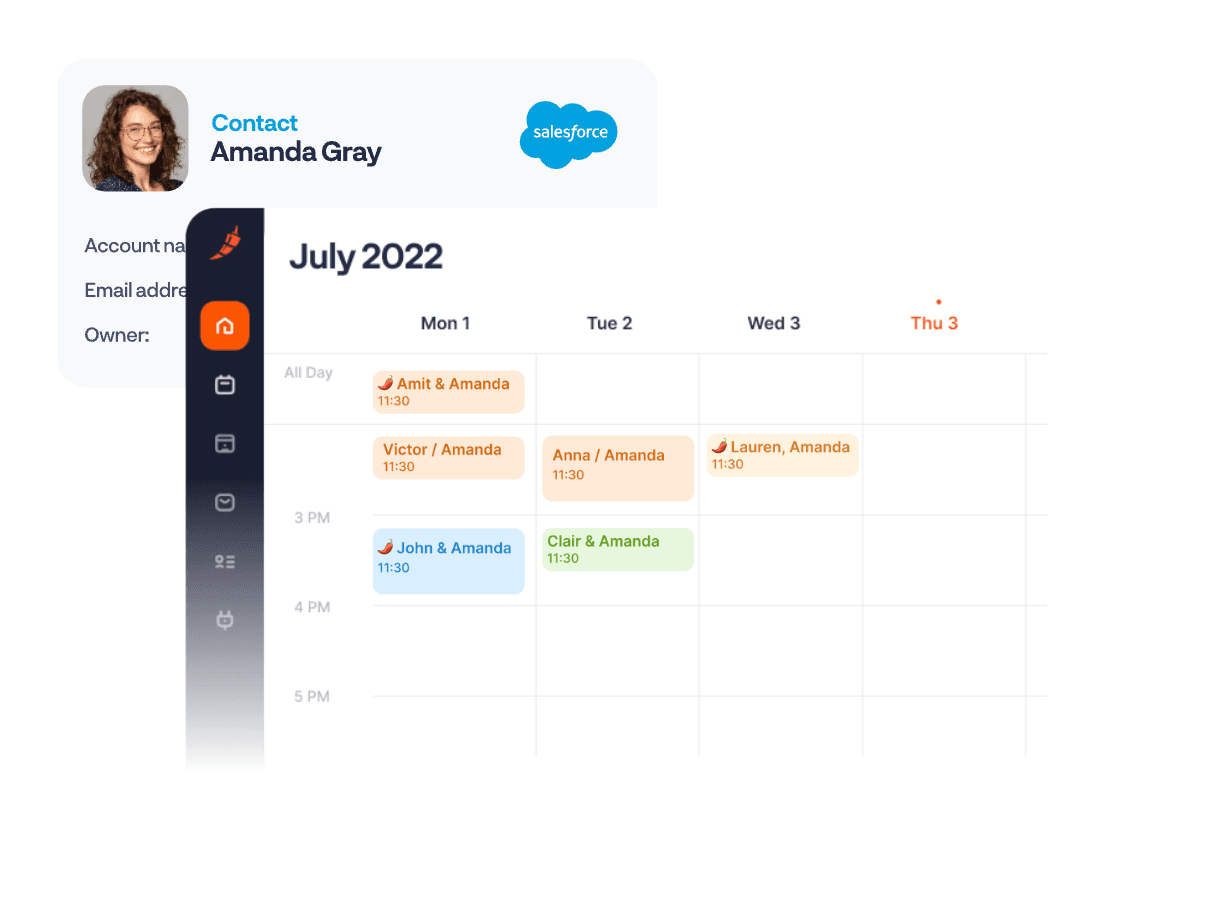
With HubSpot, you can also create and update Contacts, change properties and ownership, log conversations, and book meetings from HubSpot records.
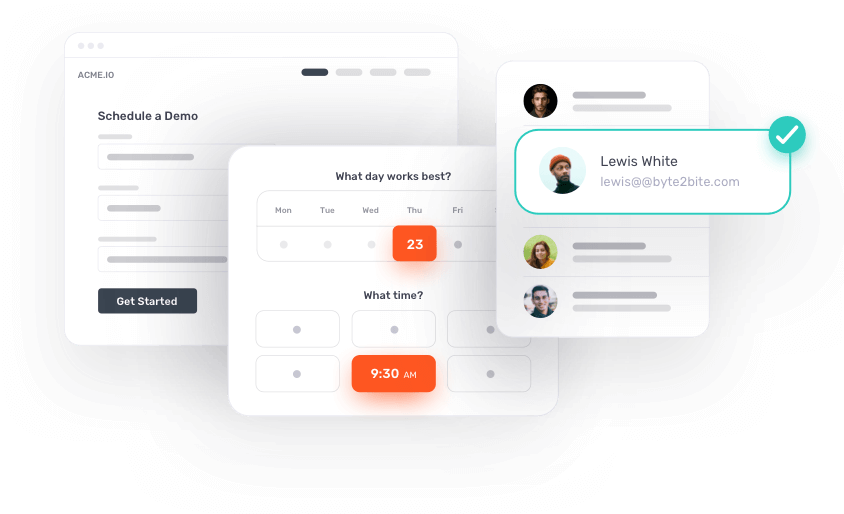
This means your CRM can stay the main source of customer data while Chili Piper uses that information to automate what happens to each inbound lead.
Email, calendars, and meeting platforms
Chili Piper connects with the tools your reps use to schedule and run meetings.
Google Calendar and Outlook integrations let Chili Piper check reps’ availability before showing meeting times, which helps prevent double bookings. Reps can also schedule meetings from Gmail or Outlook instead of switching between tools.
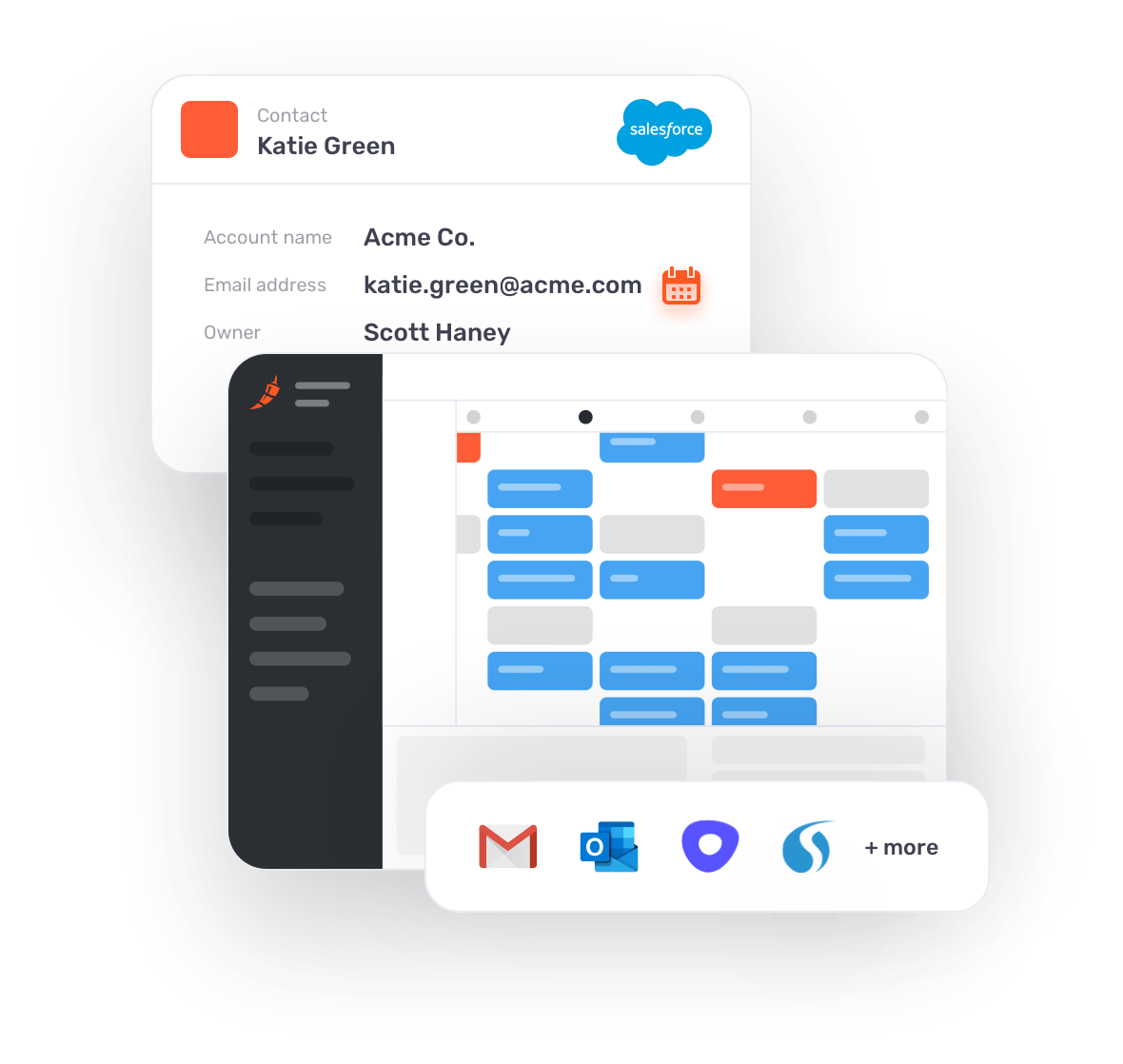
For video meetings, Chili Piper works with platforms like Zoom, Google Meet, Microsoft Teams, and Gong. It can create the relevant meeting link and add it to the calendar invite.
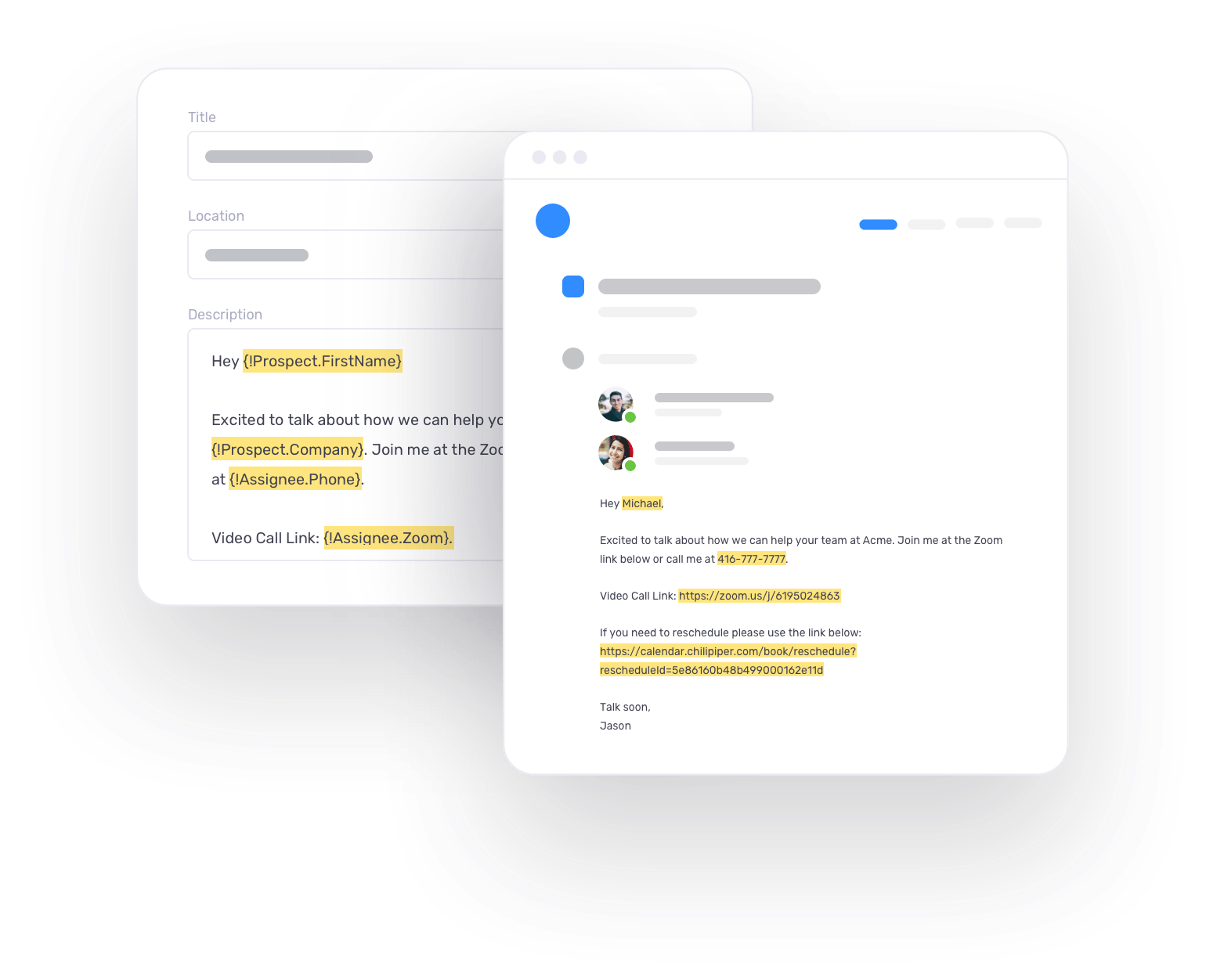
This simplifies the booking process for both reps and leads, without forcing your team to replace its existing calendar or meeting setup.
Forms, campaigns, and sales engagement
Chili Piper can connect your lead capture forms directly to qualification, routing, and follow-up.
For example, Concierge works with website forms built in HubSpot, Marketo, Pardot, and Oracle Eloqua. When someone submits a form, Chili Piper can use the information they entered to qualify and route them, then show the right booking experience.
It also works with LinkedIn Lead Gen Forms, so prospects can move from a LinkedIn Ads into meeting booking without filling the same details again.
If someone doesn’t book, Chili Piper can pass them into follow-up workflows in tools like Salesloft, Outreach, and Gong Engage.
Enrichment, intent, and buyer experiences
Chili Piper can use third-party data to qualify leads and decide how to route them.
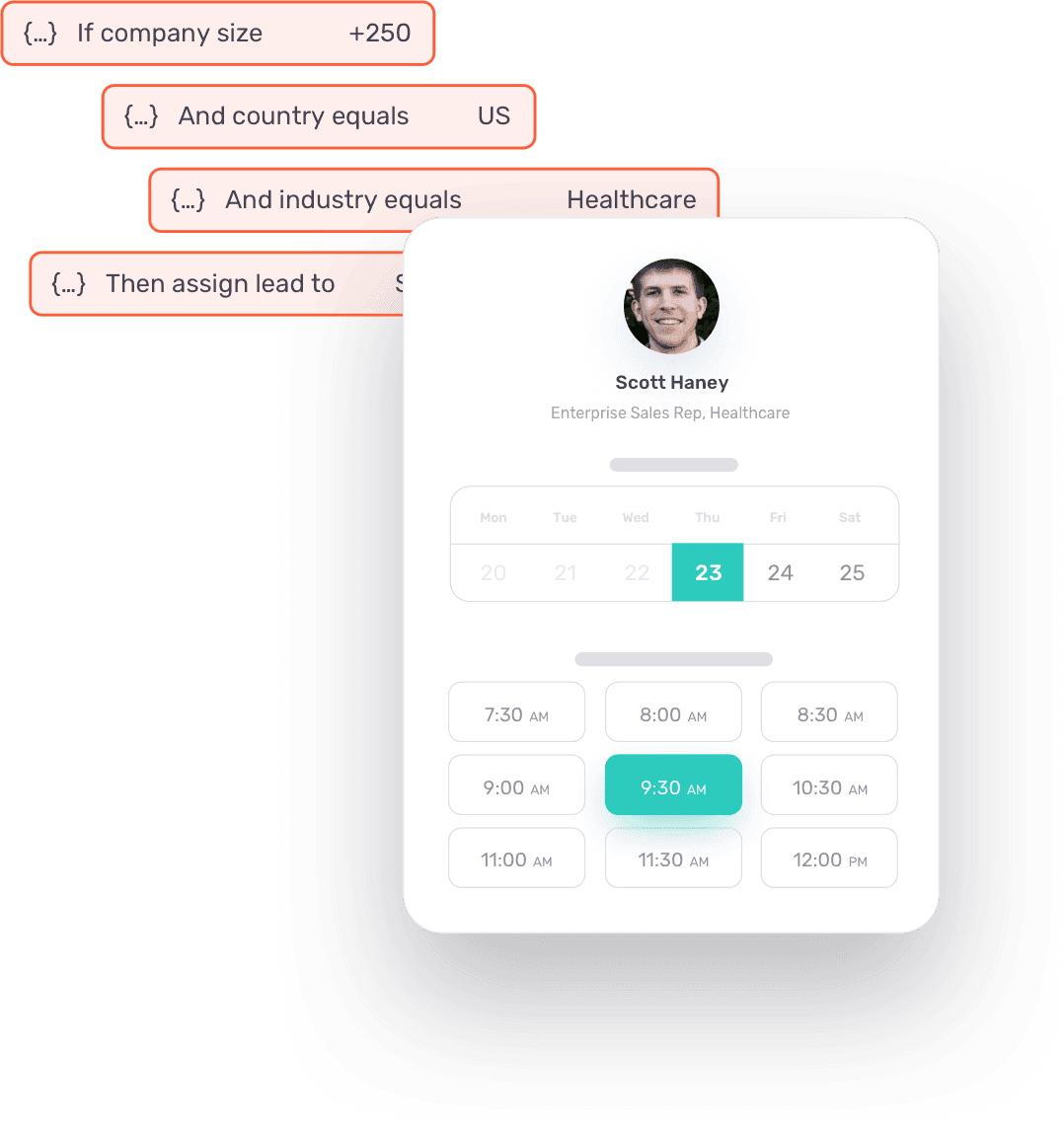
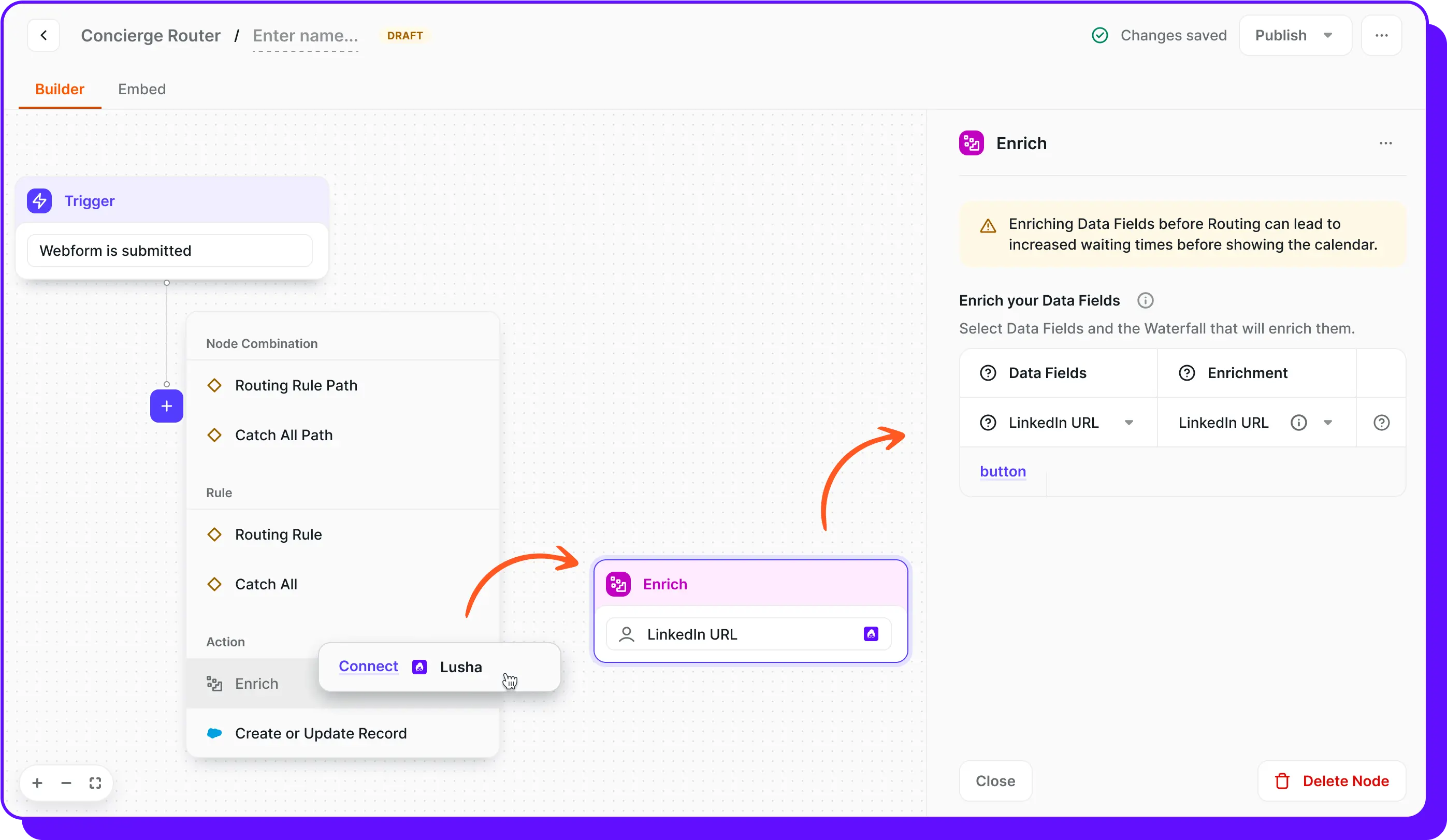
After someone submits a form, tools like LeadIQ, Apollo, Lusha, ZoomInfo, and Clay can add company details that weren’t included in the form.
Chili Piper can then use that data, such as company size, industry, or location, in its routing rules.
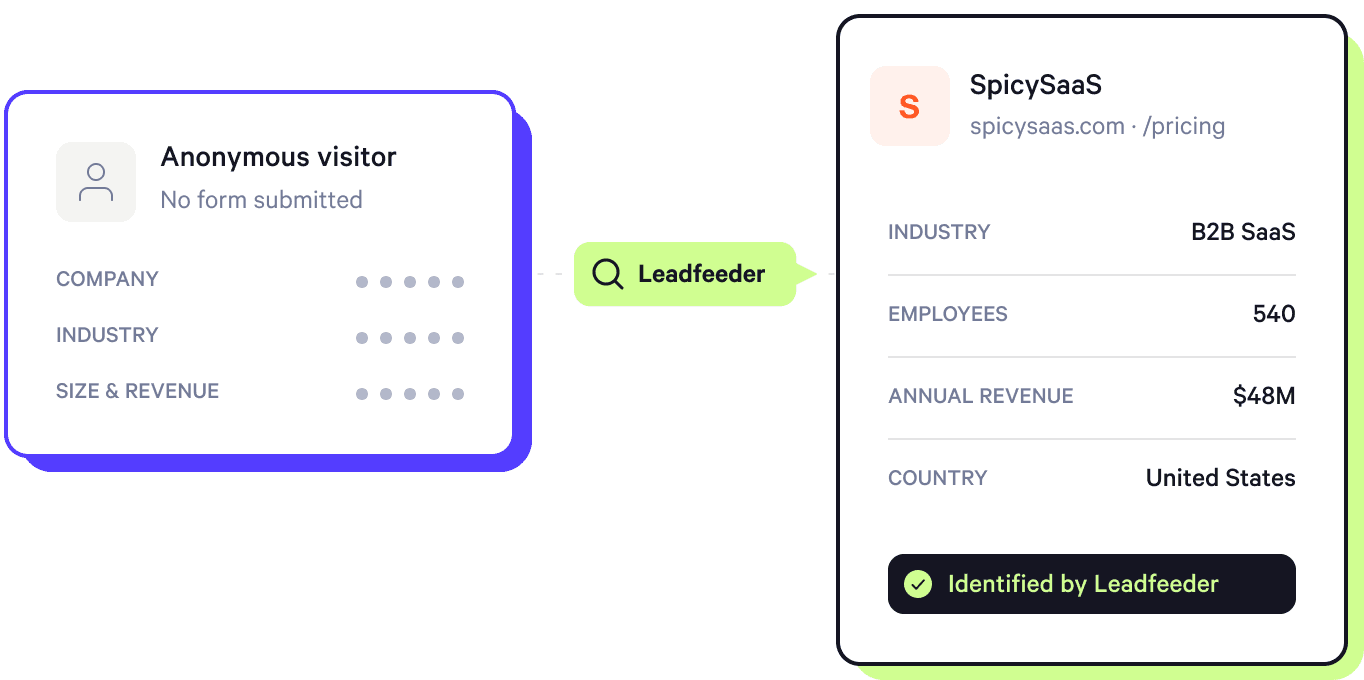
For anonymous website visitors, 6sense and Leadfeeder can help identify the company visiting your site. You can then show target accounts a different chat, message, or booking option.
Chili Piper can also use Lift AI intent scores to change what visitors see based on their level of buying intent.
Direct integrations, middleware, and custom builds
Chili Piper connectors can work with your sales stack in different ways:
Direct integrations: Connect tools like Salesforce and HubSpot to use CRM data for qualification and routing, update records and ownership, and log meeting activity. Calendar integrations with Google Calendar and Outlook let Chili Piper check rep availability before showing meeting times.
Embedded forms or booking: Add Chili Piper to an existing web form so qualified prospects see the right rep’s calendar after submitting it. You can also embed Chili Piper calendars directly on a website or inside an app.
Middleware workflows: Use tools like Zapier, Workato, and Tray.io to connect Chili Piper with other apps and trigger workflows between them.
APIs and webhooks: Build custom workflows when a standard integration doesn’t cover what you need. For example, Chili Piper webhooks can send data to another system when a meeting is booked, updated, or canceled. Check the Chili Piper API documentation to see which endpoints and actions are available for your use case.
MCP: Connect compatible AI tools to Chili Piper through MCP. This lets compatible AI tools access information like meetings and routing rules, and perform actions like rescheduling or reassigning meetings.
What to check before using a Chili Piper integration
Chili Piper integration requirements vary by tool. So, check its supported actions, data sync, setup, and maintenance requirements before setting one up:
Supported actions: Check exactly what the integration can do. A CRM connection may support routing, record updates, ownership changes, and meeting logging. Other integrations may only trigger one specific action.
Data sync: Check what data moves between Chili Piper and the integrated tool, and in which direction. Salesforce and HubSpot can sync prospect data in real time, but some fields need to be mapped before they appear in your CRM.
Plan requirements: Check whether the integration or feature is available on your Chili Piper plan. Some CRM capabilities are included with Routing & Scheduling, while others require Experiences.
Setup and permissions: Check who needs to connect the integration and what access they need. An admin may need to approve permissions, while individual reps may need to connect their own calendars accounts.
Ongoing maintenance: Check what needs to be updated when your setup changes. You may need to reconnect an integration, remap fields, or retest routing after CRM, ownership, or workflow changes.
If your workflow requires several workarounds or custom connections, it may also be worth comparing Chili Piper alternatives before you commit.
Chili Piper and Spara: comparing the use cases
Chili Piper and Spara both support inbound conversion, including qualification, routing, and meeting booking.
The difference is what happens around and after that moment. Spara can continue the buyer conversation across chat, email, voice, text, and AI Product Demos.
Workflow area | Chili Piper | Spara |
CRM | Connects with Salesforce and HubSpot for routing, qualification, ownership, and meeting data | Native, bidirectional integrations with Salesforce, HubSpot, and Marketo |
Scheduling | Connects with calendars and meeting tools to check availability and book the right rep | Connects with tools like Calendly, Cal.com, Chili Piper, HubSpot, RevenueHero, and Zoom Scheduler |
Buyer Engagement | Supports forms, Chat AI, and website experiences alongside routing and booking | Runs workflows across chat, email, voice, text, and AI Product Demos |
Internal Workflows | Uses CRM data and routing rules to decide where leads go | Uses CRM, campaign, and territory data for qualification and routing, with each action written back to the CRM |
Spara also connects with Slack, Microsoft Teams, Webex, and document management sources like Google Drive, Notion, and Confluence. It also offers an API and webhooks for custom workflows.
The main difference between Spara and Chili Piper is how far each platform carries the workflow. Chili Piper focuses on routing and scheduling while Spara extends into multi-channel buyer engagement before and after the handoff.
When does switching to Spara make sense?
Switching to Spara makes more sense when the gap is not basic routing or scheduling, but what happens before and after the meeting is booked.
For example, your team may want AI agents to qualify buyers conversationally, continue follow-up across email or text, re-engage leads that stop responding, or carry context from one channel into the next.
Rho’s success is a good example. As inbound demand grew, its Sales Development Representatives (SDRs) spent too much time on low-intent leads, while account executives often joined calls without enough context.
Spara qualified visitors, routed them based on factors like company size and use case, booked meetings, and pushed conversation context into Salesforce.
Rho reported a 3.1x increase in form-to-meeting conversion and a 60% reduction in SDR time spent per lead after implementing Spara.
Ready to choose for your use case?
Chili Piper is a strong fit if your main requirements are lead qualification, routing, scheduling, and sales handoffs across your existing stack.
Spara is worth a closer look if you want AI agents that continue to engage buyers after a website conversation. Spara can run interactive AI product demos, reactivate dormant leads through email workflows, follow up after events by text, and handle in-app customer onboarding, all with agents that carry context between channels. These interactions always stay connected to your CRM and routing logic.
The right choice depends on how much of the buyer journey you want the platform to handle.
If you’re comparing the two, bring your actual routing, follow-up, and handoff requirements to a Spara demo and see how they would work with your stack.

Lauren ThompsonHead of Marketing, Spara
Related posts
View all
GTM
Chili Piper Pricing (2026): Plans, Seats, and Total Cost
Explore Chili Piper pricing, included seats, AI credits, and annual costs. See what affects your total spend and what to confirm before choosing a plan.
Nov 2, 2026
•
7 min read

GTM
Qualified Pricing (2026): Plans, Limits, and Budgeting
Understand Qualified pricing, plan features, and usage limits. Learn what to ask for in a quote and how to compare the full cost with your sales needs.
Nov 2, 2026
•
7 min read

GTM
Qualified Integrations: API, MCP, and Stack Fit
Explore Qualified integrations, API options, and MCP capabilities. See supported tools, access requirements, and how to assess fit for your GTM stack.
Nov 2, 2026
•
5 min read
Sign up for the latest from Spara
Subscribe to get more GTM insights straight to your inbox.