
Revenue goals keep climbing every year, and go-to-market (GTM) teams feel the pressure. Marketing, sales, and RevOps are handling more calls, more emails, and inbound activity than ever. Eventually, time and headcount reach their limit.
That’s where modern GTM automation tools come in. They bring marketing, sales, and RevOps together, coordinate operations, and remove the friction that slows teams down.
To scale effectively, teams need a GTM stack that blends automation with intelligence. The tools should be AI-driven, personalize buyer engagement, and integrate tightly so every stage of the buyer journey feels connected.
Each tool below is broken down by core features, pros, cons, and best use cases.
Key takeaways
GTM automation tools help revenue teams detect buying signals, qualify accounts, and move deals forward with fewer manual handoffs between systems.
No single category covers the whole motion. The eight covered here are split across engagement, data management, ABM, enrichment, messaging, contact data, conversation intelligence, and forecasting.
Start from the friction in your current motion rather than the tool category. Most teams have a gap in one handoff, not across the whole stack.
Which GTM automation tools are worth evaluating in 2026?
Tool | Primary function | Core use case | Strength | Ideal team |
Spara | Agent-led conversion | Work deals across the full cycle | AI agents across chat, email, voice, text, and product demos | GTM teams replacing manual follow-up with agents |
HubSpot Data Hub | Data management | Sync and clean customer data | Bi-directional sync and data quality automation | RevOps teams |
6sense | Account-based marketing | Identify and prioritize high-intent accounts | Deep intent data and segmentation | ABM teams, from midsize up |
Clay | Data enrichment | Build and automate enrichment workflows | One marketplace for third-party data | Teams creating personalized outreach |
Customer.io | Multi-channel messaging | Trigger campaigns from user behavior | Email, SMS, push, and in-app automation | Marketers running targeted campaigns |
ZoomInfo | B2B contact data | Prospecting and list building | Large B2B contact database | Sales teams needing accurate B2B data |
Gong | Conversation intelligence | Analyze calls and extract insights | AI insights from calls, emails, and meetings | Orgs needing deep call analysis |
Salesloft (formerly Clari) | Forecasting and sales engagement | Run cadences and track deal health in one place | Forecasting, engagement, and call analysis under one vendor | Enterprises with complex revenue models |
1. Spara
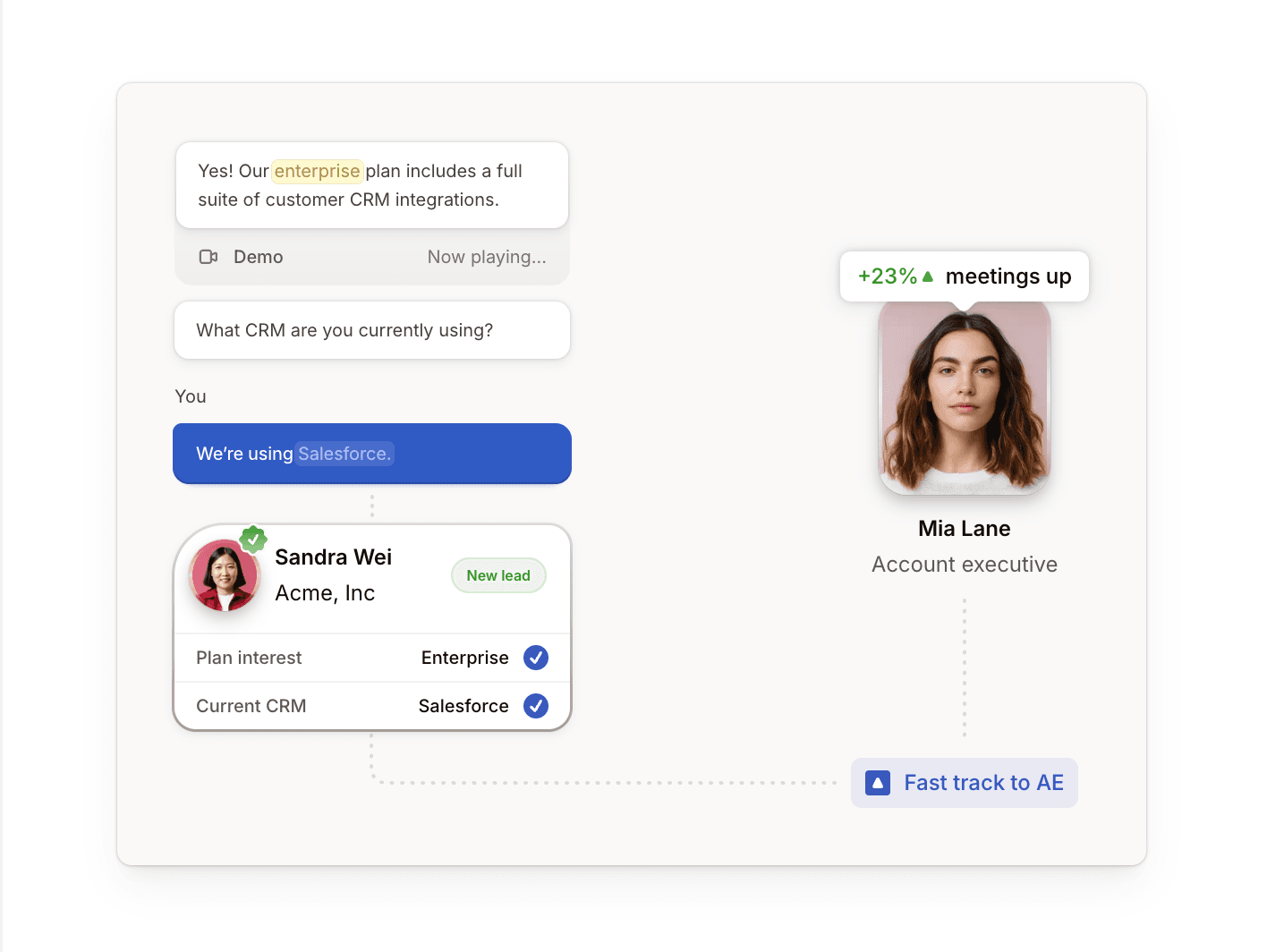
Spara is a modern AI-native GTM automation platform. Agents engage buyers the moment intent appears, qualify against your criteria, and book with the right rep, across chat, email, voice, text, and product demos. The same agents work further down the cycle: event follow-up, outbound reply handling, post-sale onboarding, and PLG upsell.
Its core engine, Spara AI, is grounded in your company’s own content and delivers personalized interactions across every channel. A buyer who starts in chat and later calls doesn’t repeat themselves, because the same agent holds the context. This is agent-led selling in action.
Spara asks prequalification questions during the conversation to identify high-value accounts. It connects with leading calendars to route prequalified leads directly to account executives, and handles unqualified conversations on its own. This way, your reps pick up each conversation with full context, because every action is written back to the CRM as it happens. Rho lifted form-to-meeting conversion 3.1x and booked 137 qualified meetings in a single quarter after routing inbound through Spara’s conversational AI agents.
Pros
With Spara, teams:
Use AI-native architecture designed for today’s customer expectations
Deploy AI agents across chat, email, voice, text, and product demos for connected conversations at every stage of the sales cycle
Connect various calendars, CRM, and communication tools so it works with your existing tech stack
Build custom connections with its Web API, Webhooks, and JavaScript API
Protect customer data with enterprise-grade security through SOC 2 Type II, GDPR, and CCPA compliance
Cons
Spara:
Lacks a dedicated mobile application
Has a shorter track record than the incumbents, having launched after LLMs matured
Best for
Spara is best for GTM teams that want agents running the motion rather than another tool for reps to operate.
2. HubSpot Data Hub
HubSpot Data Hub, formerly Operations Hub, handles data management for B2B businesses. It helps teams sync customer data and build a single source of truth across systems.
The platform drives this through three core capabilities: bi-directional data sync, programmable automation, and data quality automation.
Data sync connects your third-party tools to HubSpot’s Customer Relationship Management (CRM) system and creates a unified view of your customer data.
Programmable automation provides flexibility to customize GTM workflows using JavaScript, Python, or webhooks. For example, you can build a workflow that alerts a sales rep when a deal advances to a new stage.
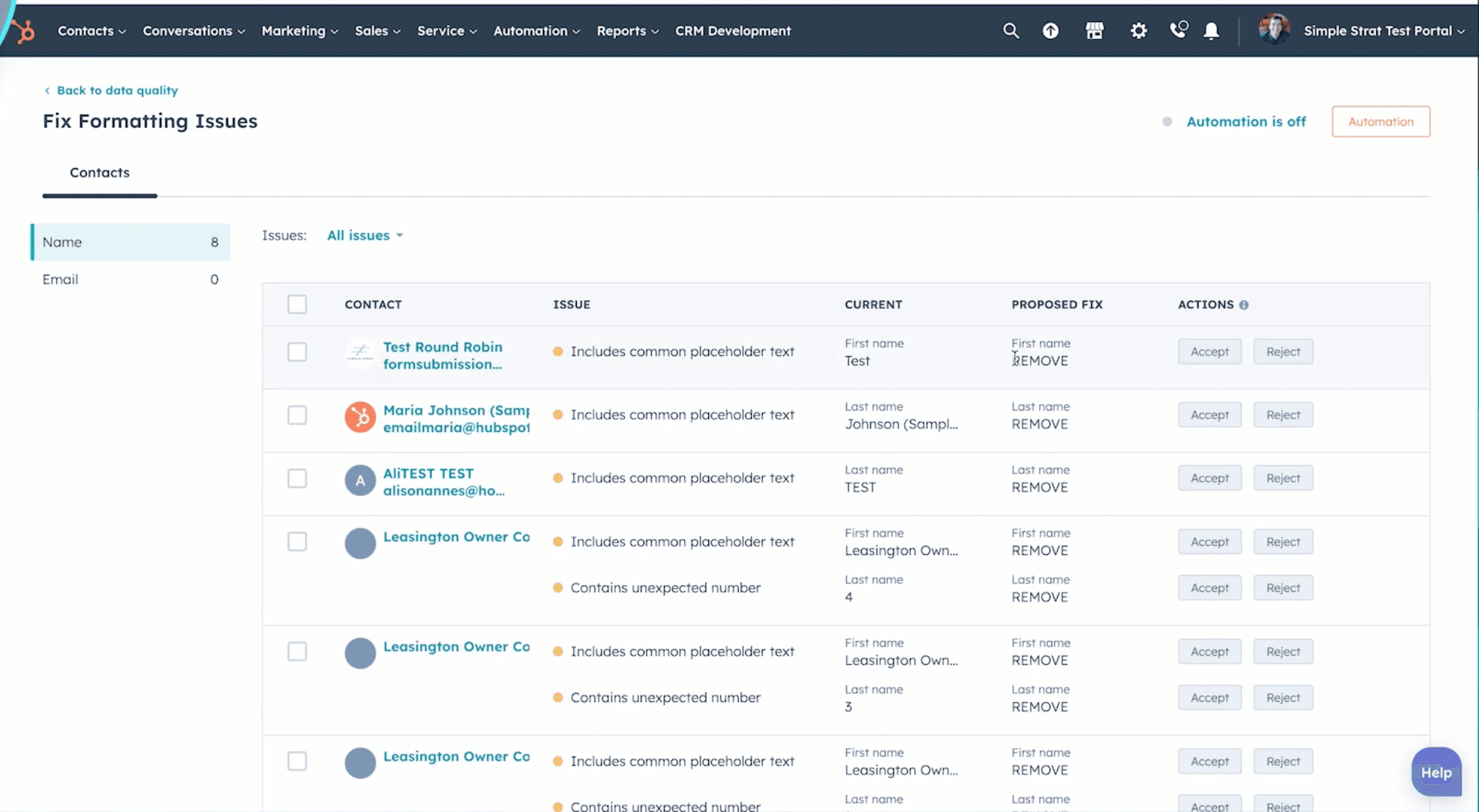
Data quality automation checks your CRM records against defined standards and automatically corrects common formatting issues, such as capitalization, spacing, and email consistency.
Pros
With HubSpot Data Hub, teams can:
Build detailed reports and dashboards for data-driven decision-making
Get direct access to HubSpot data in Snowflake for advanced analytics and reporting, on the Enterprise tier
Trigger actions across Slack, Zoom, and Asana
Automate data cleaning and standardization through data quality workflows
Cons
HubSpot Data Hub:
Is built around HubSpot as the system of record, so every sync has HubSpot on one side of it
Caps the free tier at two users, so most teams reach a paid plan quickly
Can fall back on its default properties instead of the custom ones you set up. One mid-market reviewer says this “interferes with how I define and monitor my lead qualifications”
Best for
HubSpot Data Hub is best for businesses looking to keep their data clean and synced across all their apps, and improve the efficiency of their RevOps.
3. 6sense
6sense is an account-based marketing (ABM) platform designed to identify high-intent buyers, prioritize the right accounts, and reach them at the right time.
The platform collects intent signals from multiple sources, including website visits, keyword searches, and engagement patterns. By blending this with your Customer Relationship Management (CRM) data, 6sense creates detailed account lists of your potential customers.
For marketing teams, 6sense turns intent data into action. It helps them create targeted campaigns by segmenting audiences based on buying behavior and historical trends.
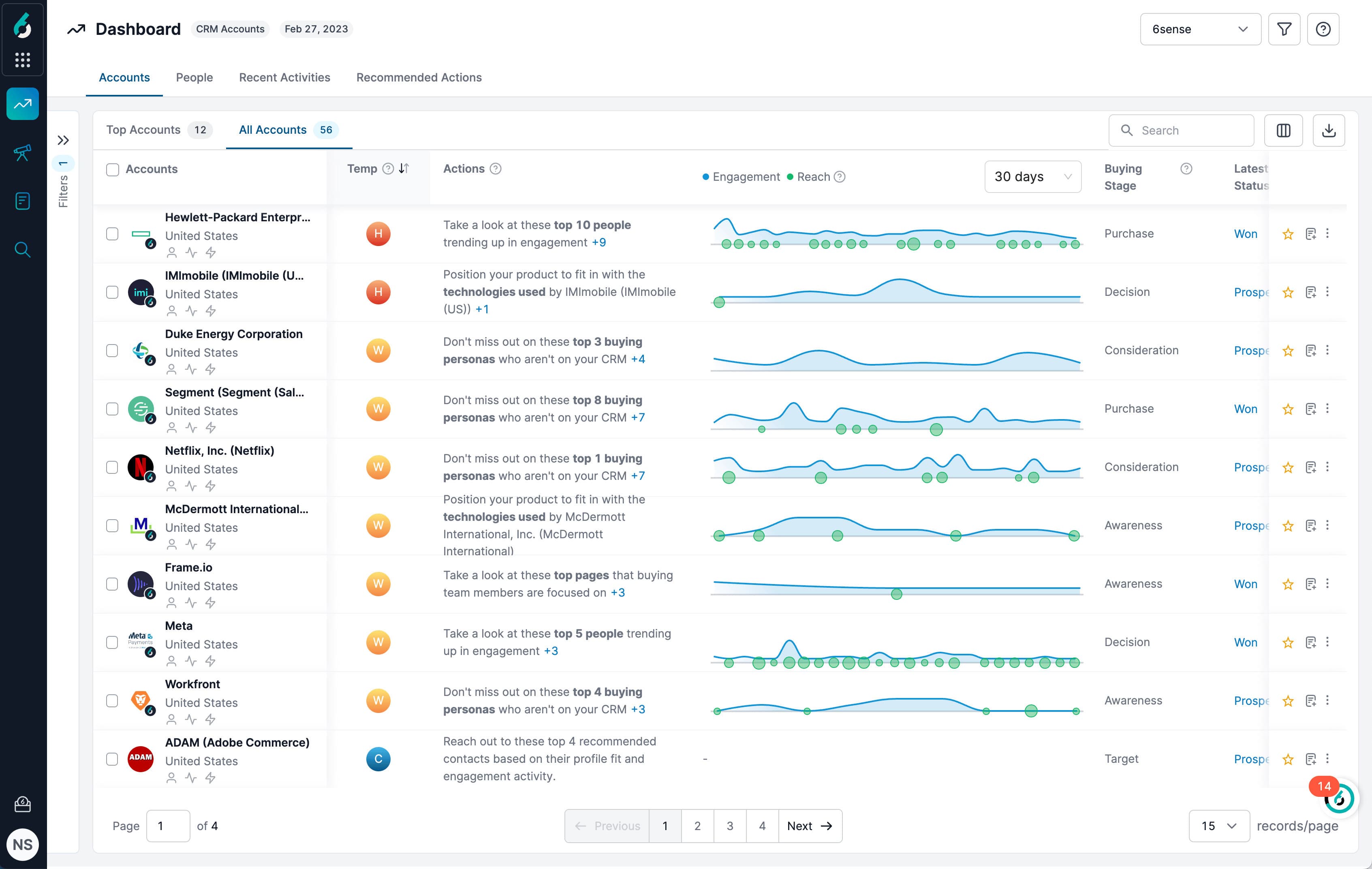
For SDRs, it provides a clear picture of where an account is in the sales process. 6sense’s prioritization dashboard highlights which companies are engaging with your marketing content, helping reps follow up on warm, high-potential leads.
Pros
6sense helps teams:
Orchestrate programs across advertising, email, and website personalization
Use AI to uncover in-market demand and prioritize accounts
Build precise customer segments for targeted engagement
Connect to the CRMs and marketing platforms already in your stack: Salesforce, HubSpot, Microsoft Dynamics, Marketo, Pardot, and Eloqua
Cons
6sense:
Meters enrichment on credits, which their documentation describes as what you spend to unlock and export contact records, so costs climb with usage
Surfaces signals that still need checking. One mid-market reviewer says they “still needed to validate the signals against our CRM data and broader account context before taking action”
Takes real setup. 6sense sells implementation and onboarding services and runs its own certification program
Best for
6sense is ideal for midsize and enterprise teams that follow ABM practices.
4. Clay
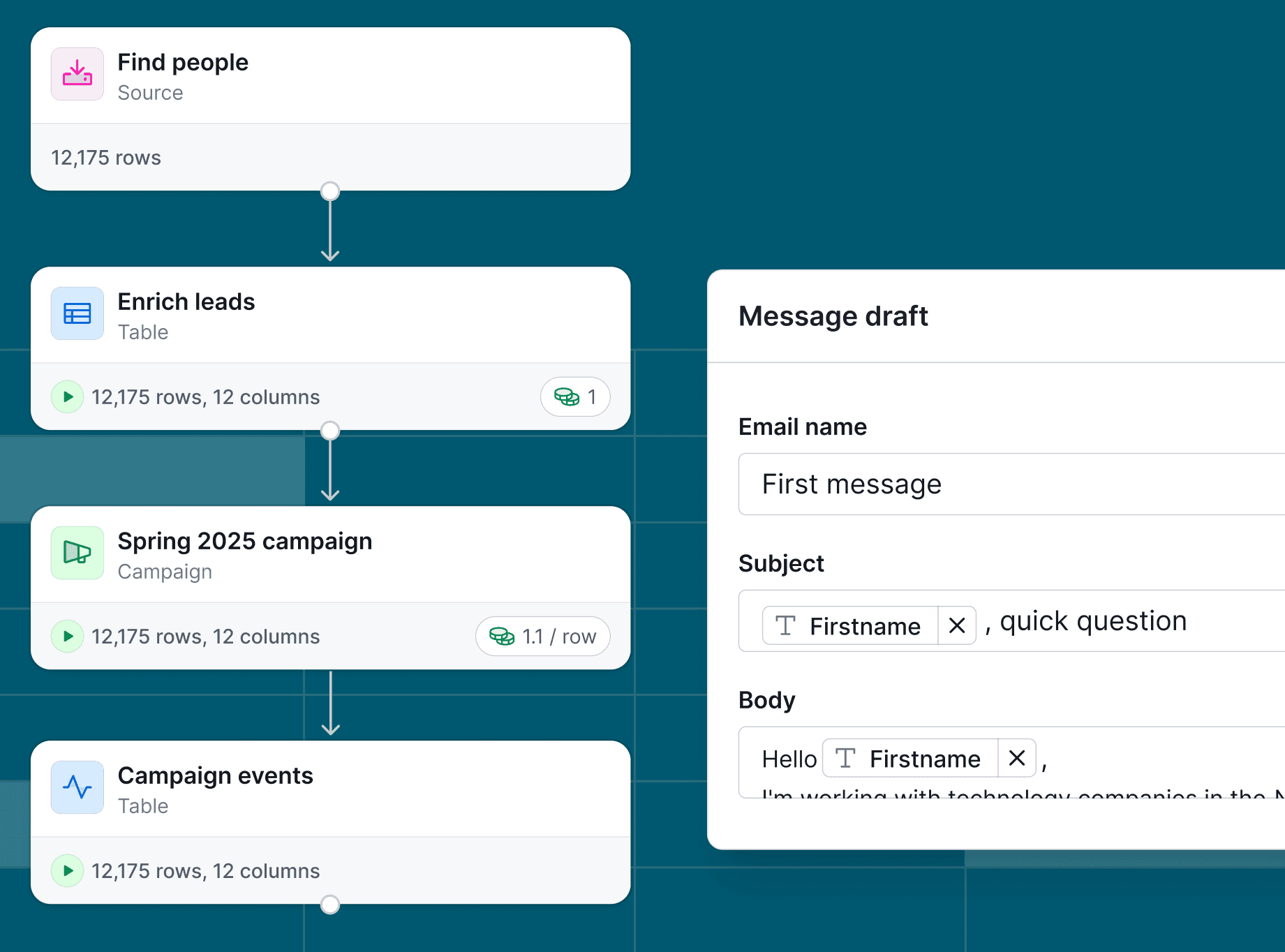
Clay is an enrichment platform that lets teams buy and consolidate data from a single marketplace, including providers like Clearbit and Apollo.
While the interface may look like a Google spreadsheet, it’s a workflow automation engine. You can drag in new enrichment steps, apply filters, and trigger next actions without writing code, then drop into JavaScript when a step needs logic the builder can’t express.
Clay now handles outreach as well as data. It sequences cold email, sells inboxes and domains, and starts warming at setup. Teams that already run outreach elsewhere can sync enriched lists to tools like Smartlead, Instantly, or Salesforge instead.
Pros
With Clay, teams can:
Customize rules to control how your data moves, updates, and qualifies
Centralize enrichment from multiple providers in one workspace, reducing the need for separate subscriptions
Run cold email sequences, inboxes, and warming in the same place as the data
Cons
Clay:
Meters usage in two currencies, Actions for workflow steps and Data Credits for data, and one mid-market reviewer reports that “failed enrichments still burn credits”
Looks more approachable than it is. One reviewer describes real use as “closer to light engineering than simply using a spreadsheet”, since it depends on conditional runs, formulas, and how columns feed one another
Thins out in niche and smaller regional markets, where one reviewer says records still need additional verification
Best for
Clay is best for businesses that need hyper-personalized outreach and want to build data-driven workflows to find, enrich, and export leads.
5. Customer.io
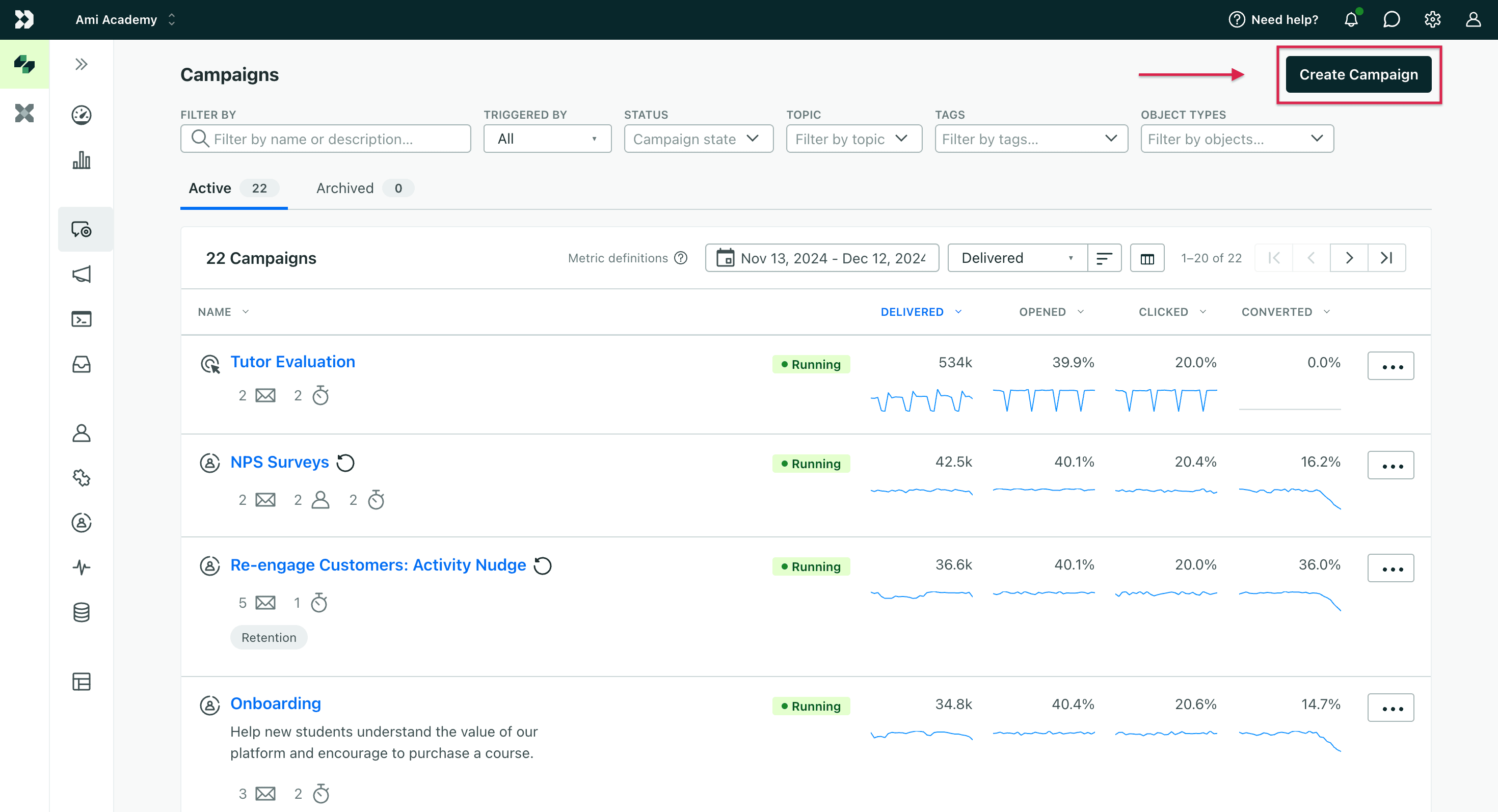
Customer.io is best known for email marketing, but it also drives engagement through SMS, push notifications, and in-app messages.
Messages fire on live user behavior rather than a fixed schedule. The platform collects first-party customer data from your website, mobile app, and third-party integrations, and routes it through automated workflows, then uses that information to trigger relevant and personalized campaigns.
A/B testing runs across email, push, and SMS, so you can compare messaging before committing to it.
Pros
Customer.io offers:
Advanced functionality for technical users seeking greater control
Multiple channels, including email, SMS, push notifications, and in-app messages
Visual flow builder to customize campaigns and customer journeys
Real-time events, traits, and custom data sync with existing data pipelines
APIs, webhook triggers, and custom event capabilities in every plan
Cons
Customer.io:
Meters on profiles rather than contacts, counting people and objects together, so the bill tracks total records rather than the size of your mailing list
Keeps reporting basic. One reviewer wants “the ability to create dashboards tailored for different user types”, such as executive or operations teams
Puts setup work on engineering. One reviewer notes that “Integrations require lots of back end work”
Best for
Customer.io is best for marketers that need precise, targeted email automation.
6. ZoomInfo
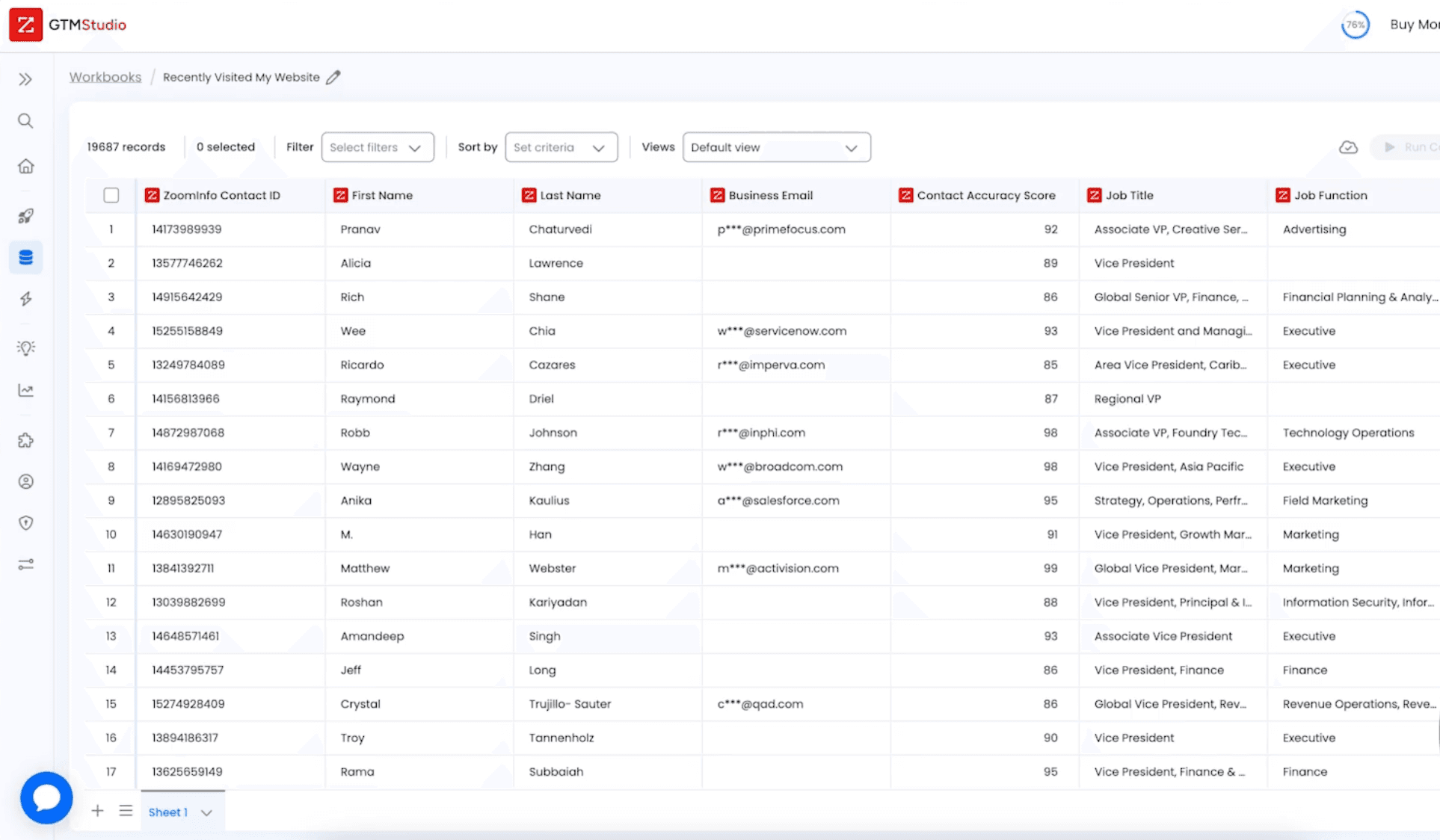
ZoomInfo is one of the largest business-to-business (B2B) contact databases, giving teams instant access to company and decision-maker information at scale.
Beyond the data itself, ZoomInfo bundles outreach into its sales tiers: AI-generated email, intelligent dialing, and automated workflows. Teams running full cadences can export contacts to a dedicated engagement tool.
Intent signals sit alongside ZoomInfo’s contact data, showing who researches products like yours, when they’re most active, and what topics they care about. Instead of calling blindly, your team focuses on warm prospects already in-market.
Pros
ZoomInfo:
Tracks anonymous website visitors and provides their contact info via WebSights tool
Analyzes accounts in real time through ZoomInfo Copilot, its AI sales agent
Simplifies lead generation by letting users filter data by job role, company size, or industry
Cons
ZoomInfo:
Carries stale records often enough that reviewers re-check them. One mid-market reviewer reports pulling contacts with “job titles that had changed, or contacts who’d already left the company”
Takes setup work. Reviewers describe time needed to learn the platform, with one saying workflows and integrations “aren’t always as intuitive as they could be”
Doesn’t publish pricing, so evaluation starts with a sales conversation
Best for
ZoomInfo is best for teams that need accurate B2B data to power prospecting and pipeline generation.
7. Gong
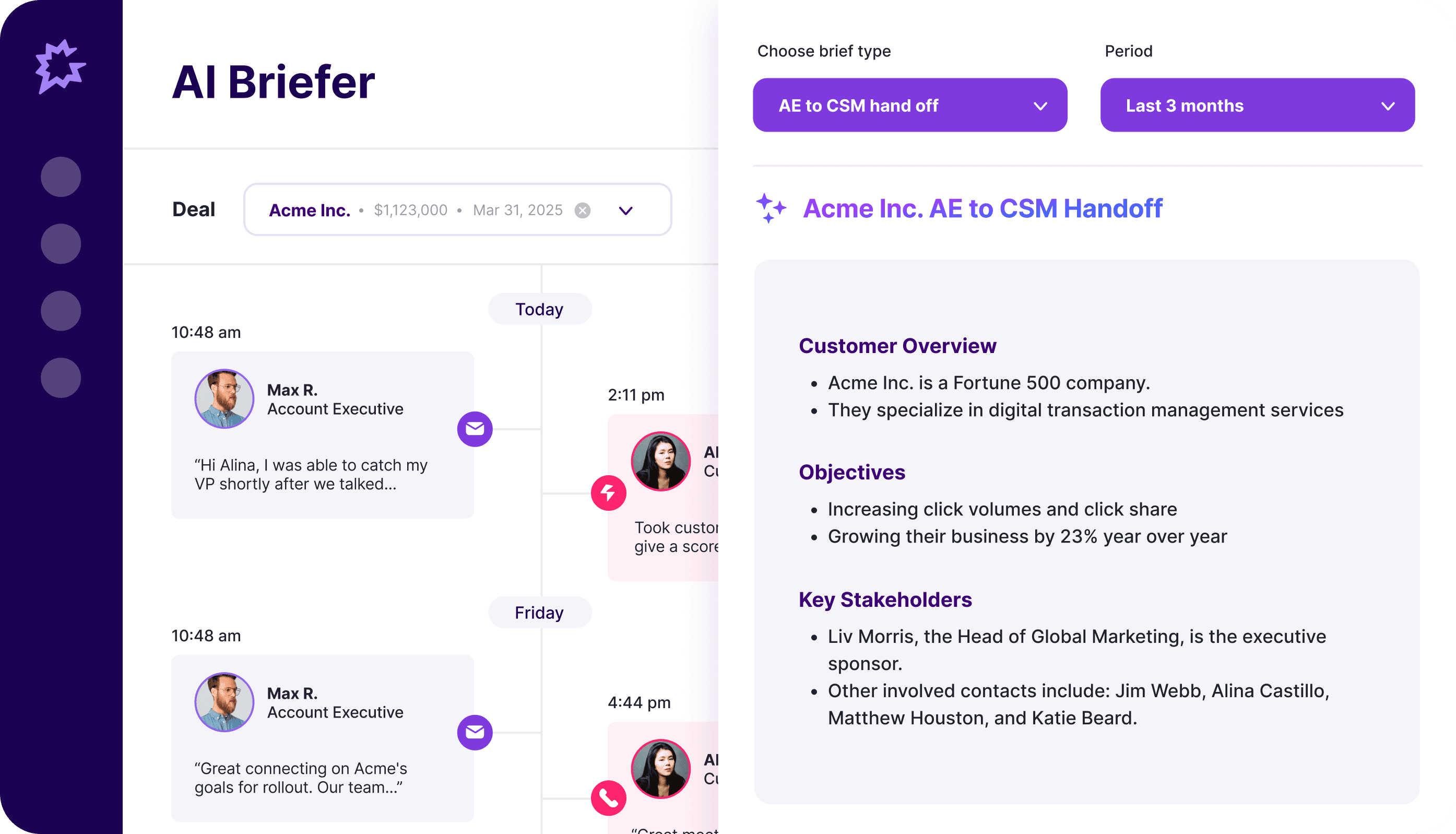
Gong records, transcribes, and analyzes customer conversations across Zoom, email, and calls. It extracts insights to improve rep performance, optimize deal management, and forecast more reliably.
You get full call transcripts with AI-labeled highlights, such as objections raised, pricing discussions, competitor mentions, and pain points.
With Gong’s “Trackers” feature, you can enter specific keywords or competitor names, and Gong flags where they come up across your calls.
Gong also provides coaching insights that show how top reps communicate and where others can improve. These insights help you spot performance gaps across the team and take actions to boost productivity.
Pros
Sales professionals using Gong can:
Record, transcribe, and analyze customer conversations across calls, video meetings, and email
Get guidance on next steps and effective outreach through Gong Engage
Spot red flags, track deal health, and receive alerts when deals go off track
Forecast revenue more accurately with behavior-based insights
Cons
Gong:
Reports more than it acts on. One mid-market reviewer says “it’s still hard to translate conversation intelligence into actionable next steps”, naming CRM updates and follow-up workflows as work that still happens by hand
Can misread what was said. A reviewer notes that “sometimes it can misinterpret words”, so transcripts and AI answers still need checking
May not record calls shorter than 30 seconds, depending on your settings
Best for
Gong is best for large orgs that want layered visibility and in-depth call analysis.
8. Salesloft (formerly Clari)
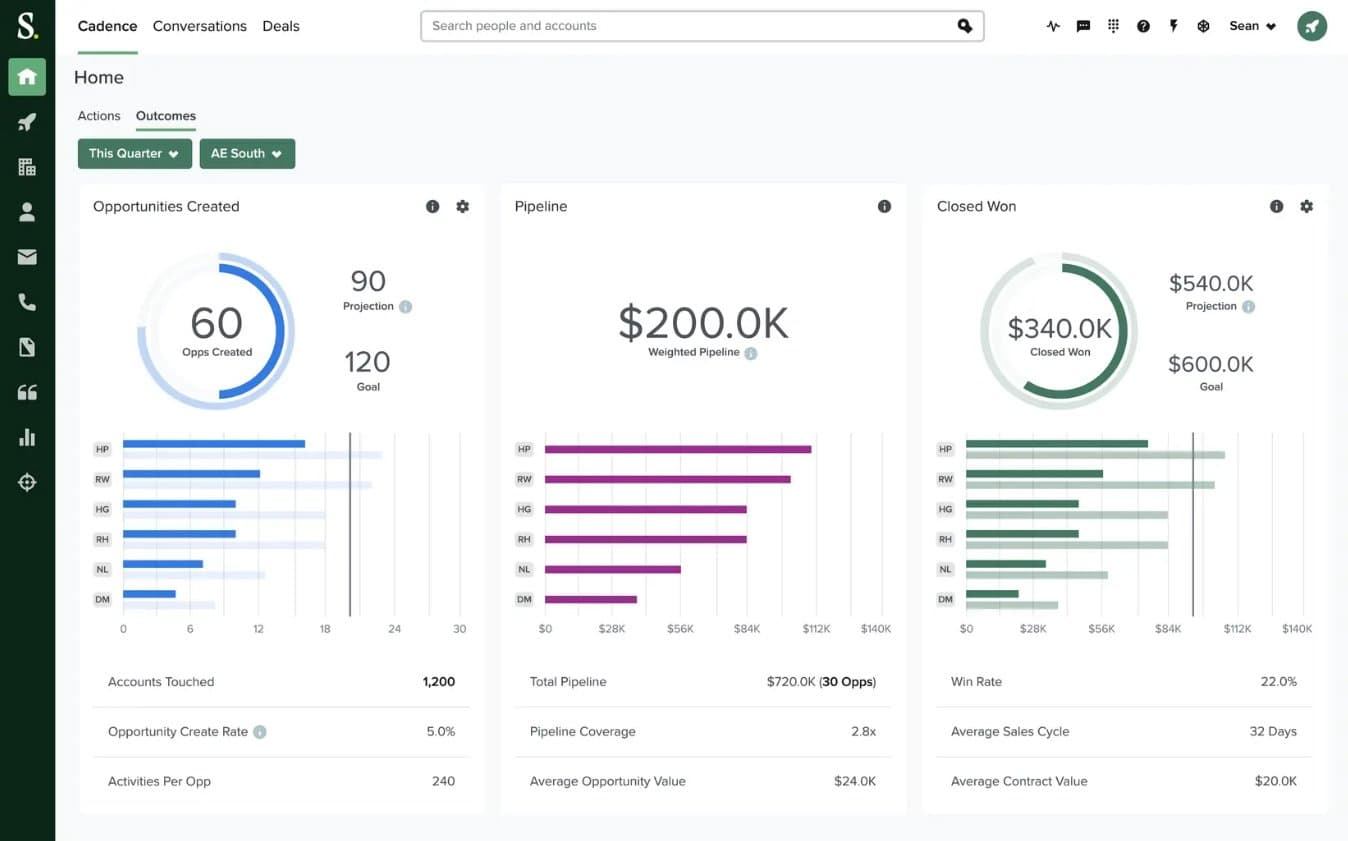
Salesloft helps revenue teams forecast more accurately and increase sales productivity across their go-to-market motion. It pulls data from your CRM platforms and connected sales systems, then uses AI-powered analytics to predict revenue and flag deal risks in real time.
This platform assembled itself by acquisition. Clari acquired Wingman for conversation intelligence in June 2022, then Groove for sales engagement in August 2023.
Clari and Salesloft completed their merger in December 2025, and in September 2026 the combined company consolidated under one brand: Salesloft. Forecasting keeps the Clari name as Clari Forecast, while revenue intelligence, deal management, and conversation intelligence all carry the new name.
For a buyer, that means forecasting, engagement, and call analysis now sit with one vendor rather than three.
Pros
Salesloft lets revenue teams:
Forecast revenue and pipeline more accurately
Record, transcribe, and analyze meetings automatically with Salesloft Conversation Intelligence
Detect early slippage signals so they can act before deals slow down
Cons
Salesloft:
Publishes no pricing at all, so the first number comes from a sales call
Needs clean CRM data before forecasts are reliable. One reviewer notes it “can surface those issues rather than solve them automatically” when underlying processes are inconsistent
Takes time to configure. Mid-market and enterprise reviewers describe a “learning curve” in report configuration and campaign setup
Surfaces AI insights that still need checking against account context. One mid-market reviewer calls them “more of a starting point than a replacement for my own analysis”
Best for
Salesloft is built for complex, large organizations. It supports multiple teams and territories, and handles the needs of global enterprises.
How do you choose the right GTM automation partner?
Start from the friction, not the category. Most teams don’t have a stack problem, they have one handoff where deals stall: leads waiting for follow-up, records going stale, reps walking into calls cold. Find that, then pick the tool that closes it.
Choosing tools that evolve with technology also matters. AI is reshaping how teams engage prospects, qualify leads, and maintain data quality. Instead of relying on rigid workflows or rule-based chatbots, AI tools use intelligence to automate and personalize different parts of GTM workflows. Connecting those parts into one system is what an AI GTM engine does.
Spara fits into this ecosystem as the layer that runs the conversations. It works alongside the rest of your GTM tools, reads your content, and puts agents to work across chat, email, voice, text, and product demos at every stage of the cycle.
Ready to turn inbound demand into revenue? Talk to Spara and see it in action.

Lauren ThompsonHead of Marketing, Spara
FAQs
Related posts
View all
GTM
Jon Harper on the four traps that stall complex deals before the proposal
Jon Harper's PEO reps closed 35 to 45% of the deals they proposed, but only 9% of first meetings ever got that far. The BizBenchmark founder breaks down the four traps that stall complex deals, and what to do instead.
Oct 9, 2026
•
4 min read

GTM
How Clay Built a Partner Motion That Drives 20% of Revenue
Nancy Mottice joined Clay as it moved from product-led growth into enterprise. Since then, partner-sourced revenue is up 16x and drives 20% of the business. Here are the six steps she took to get there.
Oct 9, 2026
•
7 min read

GTM
Pendo's Kobi Stok on turning product usage into upsell pipeline
Teams automated inbound years ago, but upsell still depends on a rep hearing a customer bring it up. Kobi Stok, SVP of Product at Pendo, walks through six moves to turn product usage into pipeline.
Oct 9, 2026
•
6 min read
Sign up for the latest from Spara
Subscribe to get more GTM insights straight to your inbox.