

Key Takeaways
Automated lead qualification engages each inbound lead as it arrives, at any hour, and routes, books, nurtures, or disqualifies it based on your criteria and the lead's answers.
Manual qualification slows down as lead volume grows, and context gets lost when a lead passes from marketing to sales.
Compare tools on how they use AI, channel coverage, security documentation, customer relationship management (CRM) and calendar integration, setup effort, and named customer results, then test the shortlist on your own leads.
After deploying Spara, Rho cut sales development rep (SDR) time per lead by 60%, and Ora by Lavender saw a 70% increase in inbound conversions in its first 30 days.
Inbound leads wait while reps review each form fill and decide who to contact first, and the wait grows with lead volume. Automated lead qualification hands that step to software and AI agents that respond to each lead as it arrives, check it against your criteria, and book or route the ones that fit.
What is automated lead qualification?
Automated lead qualification is the use of software to decide whether a new lead meets your criteria for a sales conversation, without a rep reviewing it first. The system evaluates company fit, such as industry and company size, buying intent, such as the pages a lead has viewed, and the lead's answers to qualifying questions.
Rules, lead scoring, and AI agents can each automate that decision. Rules route leads on fixed conditions, such as sending every form fill from a target industry to one rep. Lead scoring adds points for fit and engagement and ranks leads by their total. AI agents hold a conversation with the lead, ask the questions a rep would ask, and act on the answers.
Scoring and qualification do different jobs. A score sets a lead's priority, and qualification decides whether the lead is ready for a sales conversation.
Where manual qualification slows inbound conversion
In a 2024 Forrester post on buying signals, principal analyst Jessie Johnson writes that "buyer expectations for immediacy, relevance, and instant gratification have carried over from B2C to B2B." She adds that buyers know their behavior signals what they're interested in, and they expect vendors to use that information. She concludes that marketing and sales teams should stop treating the marketing-qualified lead as the only indicator of a buyer's propensity to buy, and they should use as many signals as possible.
Manual qualification struggles to meet that expectation. Each lead waits until a rep reviews the submission and decides whether to follow up, and the wait grows with lead volume. For teams that also run account-based marketing (ABM), the same reps spend hours researching target accounts and personalizing outreach, which leaves less time for inbound leads.
Rule-based chat flows can reply quickly, but they follow a fixed script and can't answer a question the script didn't anticipate.
"Buyers open up faster with AI because they sense they'll get value immediately, not a sales pitch. When you surface what matters in the first interaction, you shorten the path to a real conversation and give your reps everything they need to deliver high-value impact from the start."

David WalkerCEO Spara
Manual data entry also introduces typos, missing fields, and outdated contact details into the CRM. Reps who personalize outreach from an incomplete record can waste time on leads that don't fit and send messages that miss the buyer's problem.
Context also gets lost at handoff. Marketing tracks intent signals, campaign performance, and engagement history, while sales works from CRM fields, call notes, and its own routing logic. If those systems don't share data, the rep starts the call without knowing what brought the lead to your site, what content they read, or what problem they want solved.
How automated lead qualification works, step by step
Automated lead qualification captures each new lead, checks it against your criteria, asks the questions a rep would ask, and then routes, books, or nurtures the lead based on the answers. Each step runs as soon as the lead arrives, at any hour, and the results land in your CRM so the rep starts with full context.
The lead arrives. A buyer fills out a form, starts a chat, sends an email, calls, or sends a text. The system captures their contact details and the page or message that brought them in.
The system checks fit. It compares the lead against your ideal customer profile (ICP), such as company size, industry, and role, and against behavior and intent signals, such as the pages they've viewed. If you use lead scoring, the system gives the lead points for fit and engagement at this step, and the highest-scoring leads move first.
An agent asks the qualifying questions. The AI agent asks what a rep would ask, for example, about budget, authority, need, and timing (the BANT framework). If you score leads, each answer updates the score during the conversation.
The lead is routed, booked, nurtured, or disqualified. Qualified leads go to the right rep or book straight onto a rep's calendar. Leads that aren't ready yet go into a nurture sequence, and leads that don't fit are disqualified.
Everything is written to the CRM. The answers, score, and actions are saved to the lead record, so the rep can read the full exchange before the first call. In Spara, every action writes back to the CRM through bi-directional sync, with an exportable event log.
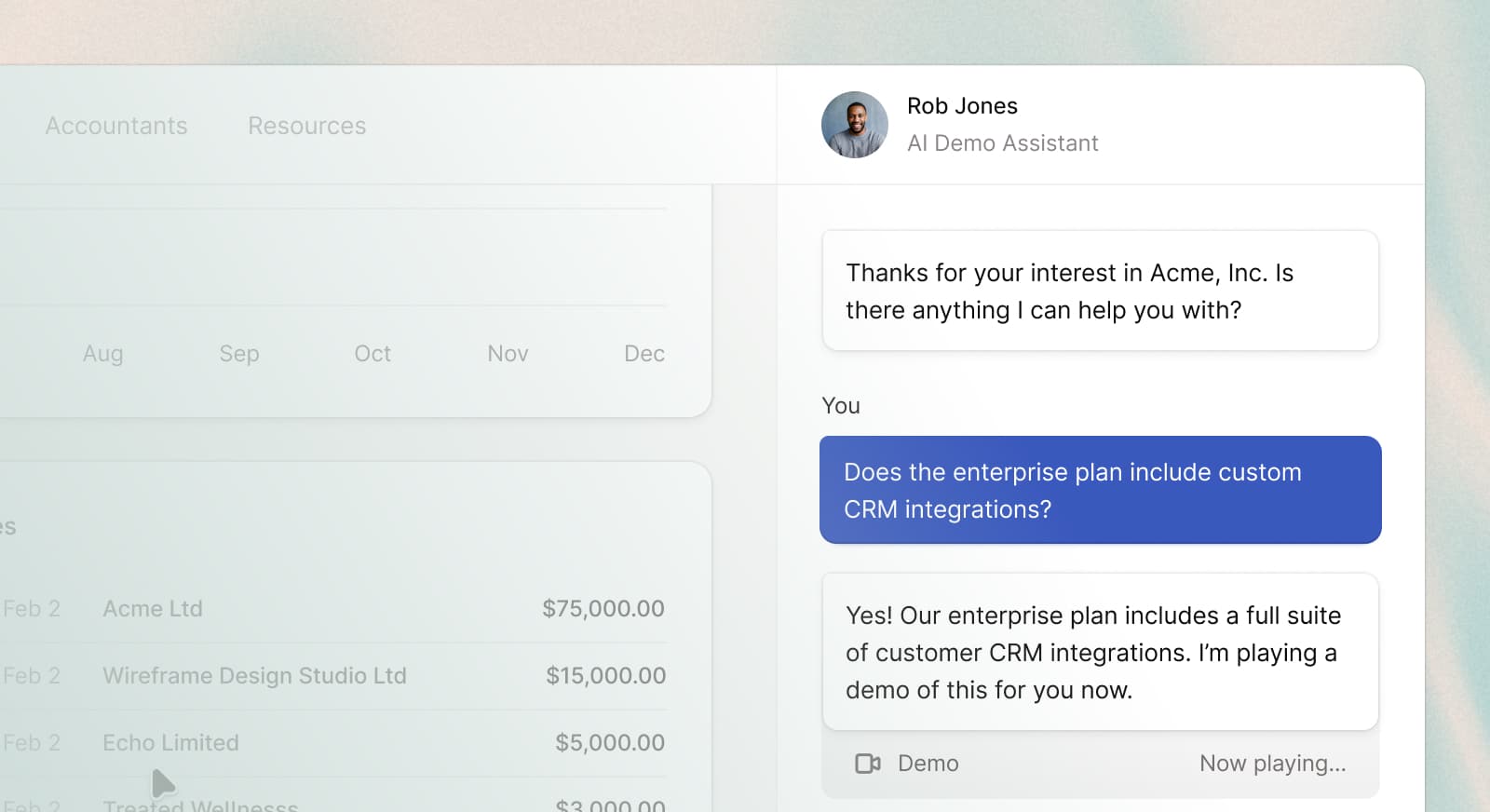
Say a visitor lands on your pricing page at 11 p.m. and asks whether you integrate with HubSpot. The agent answers. Then it asks how big their team is, what they're trying to fix, and when they plan to buy. They fit your ideal customer profile, so the agent offers times and they book a 9 a.m. call. Before that call, the rep reads the whole conversation in the CRM record and opens by talking about their HubSpot setup.
How to set up automated lead qualification
Set up automated lead qualification by agreeing on criteria with sales, deciding what the agent asks, writing the routing rules, connecting your CRM and calendars, and testing on one channel before you expand.
Agree on what makes a lead sales-ready. Work with sales and marketing to write down the company profile you sell to, the problems you solve, the signs a buyer is ready to talk, and the facts that rule a lead out, such as a region you don't serve. Written criteria give both teams one definition to check results against.
Choose the information to collect. List what your CRM and enrichment data already tell you, such as industry and company size, so the agent doesn't ask for it again. The agent then asks only for what's missing, for example: "What are you hoping to fix?" and "Which CRM do you use today?"
Set qualification and routing rules. Decide what happens to each outcome. A lead that meets every criterion books a meeting with the rep who owns that segment, a good-fit lead with no near-term timeline goes into nurture, and an unclear case goes to a person for review. Treat a missing answer as a reason to follow up, and disqualify a lead only on one of the disqualifiers you agreed on.
Connect the workflow. Map each qualifying question to a CRM field, so the answers land where reps already look, and set the ownership rules that assign each lead to a rep. Then decide the fallback for when booking or routing fails, such as when no rep has an open slot or another rep already owns the account. An email follow-up with available times and an alert to the account owner keeps the lead from stalling.
Test before expanding. Run a sample of past leads through the workflow, including ones sales rejected, and review each decision with sales before launch. Go live on one channel, such as website chat, and add email and voice once sales agrees with the agent's decisions.
How to measure qualification performance
Automated sales qualification shortens time to first response, asks every lead the same qualifying questions, and gives reps more time for leads that meet your criteria. Researching each company, checking fit, and deciding who to contact first all take rep time that the system can reduce. After deploying Spara, Rho saw a 60% drop in SDR time spent per lead, and Ora by Lavender saw a 70% increase in inbound conversions in its first 30 days.
There's no single formula for the return on lead qualification automation, so measure the outcomes it should change. Before you switch it on, record lead-to-booking conversion, customer acquisition cost, and the hours each rep spends on data entry and lead triage. Measure the same metrics after launch and compare. For monthly cost savings, multiply the drop in admin hours per rep (before minus after) by the number of reps and their average hourly cost.
Qualifying leads across chat, email, and voice
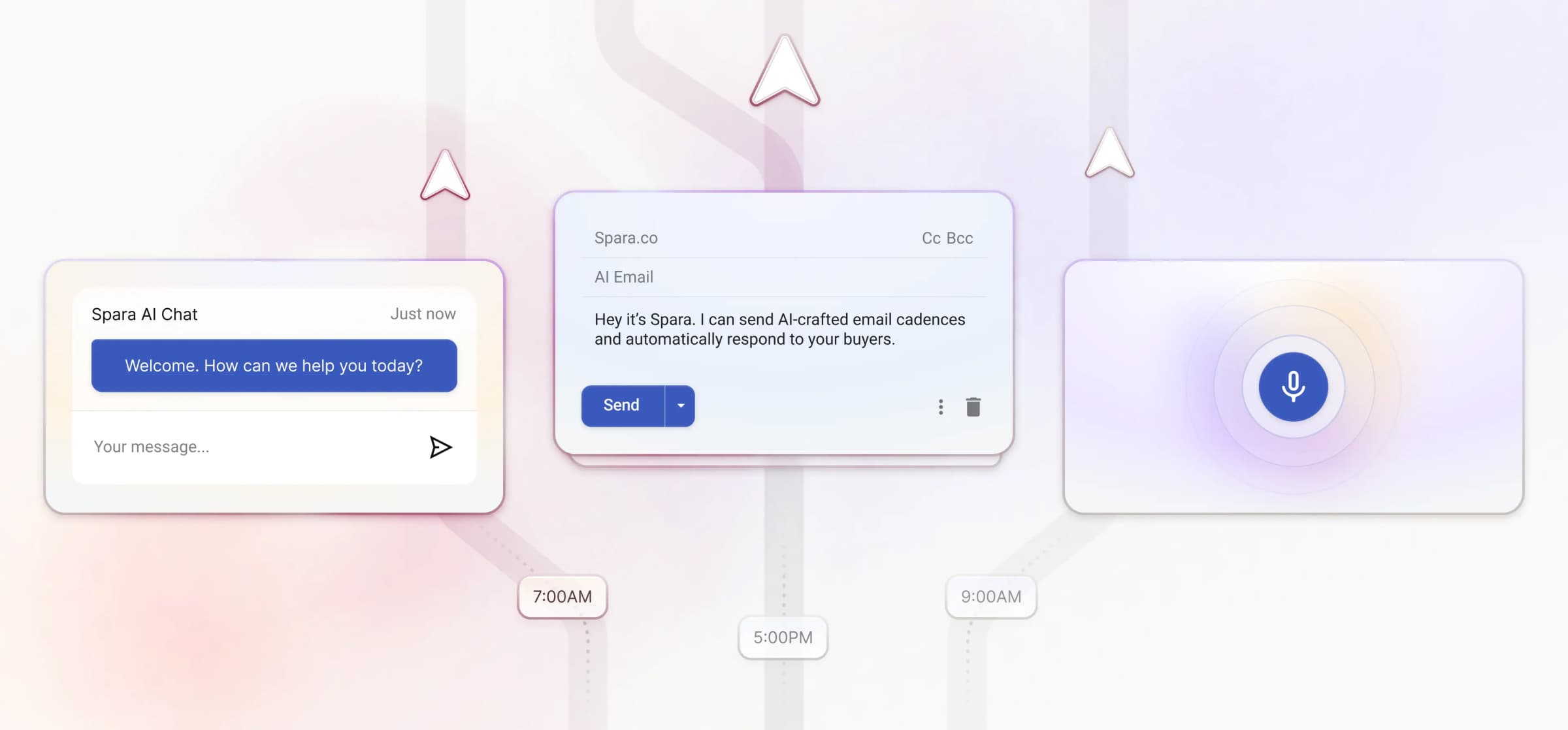
An agent can qualify a lead on whichever channel the buyer uses first. Spara's agents work across chat, email, voice, text, and AI Product Demos, which let an agent show buyers the product while it keeps qualifying them.
Chat
AI chat agents start a conversation the moment a buyer signals interest on your website. They answer questions, ask the qualifying questions, and route qualified buyers to your reps. Because they run 24/7, visitors who arrive at night or on weekends can still book a meeting at a time that suits them.
Spara offers its chat agent as Navigator, Smartbar, or Fullscreen. Navigator is a floating assistant in the bottom-right corner that follows visitors across your site. Smartbar sits within a page and engages visitors based on the context of what they're reading. Fullscreen runs on a single URL of your marketing site and loads right after a visitor submits a form.
Email follows up with buyers who are engaged but haven't booked. When a lead meets your criteria but leaves before scheduling a call, the email agent sends a personalized follow-up that invites them to book through Chili Piper, Calendly, Cal.com, HubSpot Meetings, RevenueHero, or BookIt.
The email agent also answers inbound emails. It replies with relevant information, asks for any qualification details that are still missing, and hands the thread to a rep once the buyer shows clear intent to buy.
Voice
AI voice agents answer inbound calls immediately, ask the qualifying questions, and route qualified callers to a rep while they're still on the line. After hours, the same agents take the call and capture the caller's answers for a rep to follow up.
How to choose an automated lead qualification tool
Compare lead qualification tools on AI-native architecture, channel coverage, security documentation, CRM and calendar integration, ease of setup, and proven pipeline lift. These criteria assume most of your pipeline is inbound. If most of it comes from outbound prospecting, weigh data and prospecting tools more heavily.
AI-native architecture
Ask whether the product was built on large language models (LLMs) from the start or added them to an older rule-based tool, and how it grounds answers in your company's content. Review the guardrails that keep its responses accurate.
Multi-channel flexibility
Ask which channels the tool covers and whether one lead record ties the conversations together, so a buyer who chats and then emails doesn't have to repeat themselves.
SOC 2 and GDPR
SOC 2 is an audit report, and GDPR is an EU regulation. Neither is a certification. Ask for the vendor's latest SOC 2 report and, if you handle EU personal data, its data processing agreement, then review how it protects and stores the data its agents collect.
CRM and calendar integration
Check that the tool writes qualification answers to the CRM record without manual entry, and that it reads your reps' calendars so a qualified lead can book during the conversation. Ask whether the CRM sync runs both ways, so updates your reps make reach the agent.
Ease of setup
Ask how long a typical deployment takes, how much engineering time it needs, and whether someone in sales or marketing operations can change the agent's questions and routing rules without help from engineering.
Proven pipeline lift
Ask for named customer results on metrics your team tracks, such as form-to-meeting conversion or sales-qualified lead (SQL) conversion. Then test the tool on your own leads to determine whether it improves those metrics in your sales process.
TinyMCE moved to Spara from its previous chat provider and now generates $1M+ in pipeline every quarter through AI-led conversations. Spara's agents answer from your own content, with guardrails against hallucination, and re-scrapes your site every 24 hours to keep that content current.
Talk to Spara to see how its agents would qualify your inbound leads.

Lauren ThompsonHead of Marketing, Spara
FAQs
Related posts
View all
GTM
Chili Piper Pricing (2026): Plans, Seats, and Total Cost
Explore Chili Piper pricing, included seats, AI credits, and annual costs. See what affects your total spend and what to confirm before choosing a plan.
Nov 2, 2026
•
7 min read

GTM
Qualified Pricing (2026): Plans, Limits, and Budgeting
Understand Qualified pricing, plan features, and usage limits. Learn what to ask for in a quote and how to compare the full cost with your sales needs.
Nov 2, 2026
•
7 min read

GTM
Qualified Integrations: API, MCP, and Stack Fit
Explore Qualified integrations, API options, and MCP capabilities. See supported tools, access requirements, and how to assess fit for your GTM stack.
Nov 2, 2026
•
5 min read
Sign up for the latest from Spara
Subscribe to get more GTM insights straight to your inbox.